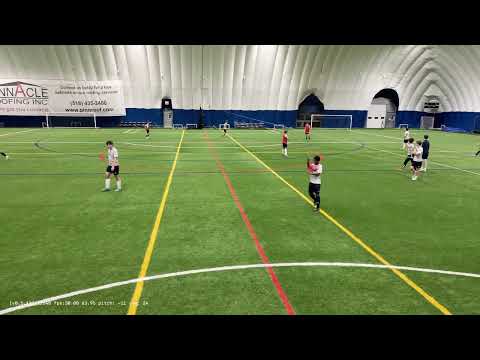
My iOS AI ball tracking camera app is finally ready for beta testing.
If you have an iPhone 13 or newer, you’ll just need to buy a $20 gimbal for the app to work. This is going to be the most affordable recording solution. In addition, you’ll be amazed by the video quality and resolution, thanks to Apple’s superior camera system. Even if you already use a 180° camera like Veo or ActionStitch, you should still consider this solution, because it will produce excellent, highlight-ready footage.
If you’re interested please send me a message. Currently basketball and soccer are supported.
Congratulations on the launch of the new app! It’s great to see this exciting development. As the existing evaluator of ActionStitch, I’d love to test the new app. Let me know how to proceed!
Yes, I plan to add ball tracking to ActionStitch by using an iPhone as the computing device to run the ball detection model. There are many advantages to doing this, but the most important one is that I only have to deal with a single type of GPU.
I am interested in testing the app. I usually record with Veo cams for my son’s 7v7 u9 soccer team. I’m an early backer for the xbotgo falcon and should be getting that soon to compare.
I am a bit unclear with your response and just wanted a bit of further clarification.
Is the AI ball-tracking feature being added to ActionStitch usable on the desktop computer version, yes or no? If yes, how will it work with footage from two action cameras stitched on a computer? If no, does that mean only the iOS iPhone based version will get the AI tracking feature while the desktop version remains unchanged?
Does it mean that going forward, users will need to acquire an additional hardware component(an iPhone) to use ActionStitch’s new AI ball-tracking feature?
Sorry about the confusion. Right now this iOS app is a standalone app and has no connection with ActionStitch, so the desktop version of ActionStitch remains unchanged.
In the future, I will make a new iOS app that can do the ball tracking for ActionStitch.
Hello let me know how to be part of the test.
I understand that I have to buy a gimbal as you mention like Insta360 Flow Pro 2 then I tripod?
then there is a softaware to purchase?
However, I found out that unlike other sports cameras, it is completely ok to film without a tripod with my app. You can just hold the gimbal in your hand and it will still track well.
Hi thank’s for reply.
So I will buy the gimbal and tripod, but how we proceed for the software, bacause I will spend money and want to know how much it will cost me the app?
Sorry to bother you!
After you receive the gimbal, send me your email address and I’ll invite you to Apple’s TestFlight program. You can then install the official TestFlight app, which in turn can install my app.
Beta testers can keep using the app for free as long as the app is installed via TestFlight.